Hi and welcome back to my blog. Today I am talking about a recent project that we had just done in our maker class. In this assignment, we documented a live event and used our editing skills to create an amazing video.
The first step in this project was to plan out what type of shots I wanted, we call this, an action plan.
Next we actually filmed our video. As you can see, I chose to do one of my soccer games. My team is a Div 1 team, which is a select team. In ranking, first there is house (div 3) as the lowest level, then there is silver/gold 2 (div 2) and gold 1 (div 1) and then after that there is metro and HPL which is the highest level. My team was going to be playing one of our rivalries called Avalanche. They are in our division and play for the same organisation as us. The thing is, they were the original gold 1 team and we moved up (from gold 2) last year. This year, they have been participating in metro-level tournaments, making them, really, really good.
Here is how my video turned out! (By the way, I’m number 7)
I am pretty happy with how this video turned out, I had some great videos, angles and shots. This video pretty much turned out how I wanted it to be. Although, the audio and lighting in the interview wasn’t the best, but still great. My team and I all worked really hard this game and had a great game so, I’m glad I got this one on video. Hope you liked it! See you in my next blog post!
Hey y’all and welcome back to another blog post! Today, I am talking about the last and final week of the Student Blogging Challenge! This week, is more of a reflection on our experience of this year and maybe past years of doing the SBC and our blogging plans for the future!
Here are all the weeks of challenges that I’ve participated in, including last year:
During the course of this year’s blog challenge, I had 22 comments from people on my blog, my most popular was my most recent one, week 7.
My plans for blogging in the future, well, I’m pretty sure that this may be my last year of the Student Blogging Challenge (or it might be last year, I’m not sure), but, I am always posting blog posts about project reflections that had recently been completed. I’d like to start posting more things when I have time for fun such as trips or events.
Throughout the challenge, I have connected the most with the following people:
Hi y’all and welcome back to another blog post. Since term one is ending, today, I will be talking about and reflecting on all of the videos that I had done this term. So, let’s get right into it!
4 Shot Film
Empowered Learner:I have leveraged technology to take an active role in choosing, achieving, and demonstrating competency in my learning goals
For this video, being the first video that we had made this year, I think that we did a pretty good job. The video quality of when Ms Maxwell was walking up could have been better if it wasn’t blurred up and the music at the end. Although this video may not have been perfect, I think that I was really surprised as to how it turned out with the angles, shots, organization and roles and it has definitely started this year full of videos off strong. Which is why, I think that my group and I had leveraged technologies and have taken an active role in achieving and demonstrating our learning goals.
Ghost Town Film
Knowledge Constructor: I can critically curate a variety of resources using digital tools to construct knowledge, produce creative artifacts, and make meaningful experiences for myself and others
Similar to what I had said in my Alberta Reflection Post, this video did turn out pretty well, minus, the communication on who was bringing a cowboy hat and not using “landscape” during the whole course of filming. But we did all cooperate very well together. The editing was all done in iMovie but the writing at the beginning was done by Jude. If I had time (and wifi) at that time, I would’ve made my own music for the video. But I definitely learned some new things in the process of planning, filming and editing.
Drumheller Documentary
Creative Communicator: I communicated clearly and expressed myself creatively for a variety of purposes using the platforms, tools, styles, formats, and digital media appropriate to my goals.
Just like what I said in my Alberta Reflection Post, since this was a surprise task, we had very little time to plan, film and edit our videos. But, during this video, I did not waste any time and persisted well. I definitely had some troubles with the audio at times but in reality, I think that that was the only real flaw other than maybe trying to communicate more information about the artifact. For this task, we could only use Clips, an apple application. I thought that this was great because I got to learn a little more about this app and plus, it took less time to edit. But, I wasn’t fully comfortable with it because I hadn’t used it very much in the past.
Alberta People Video
Innovative Designer: I used a variety of technologies within a design process to identify and solve problems by creating new, useful, or imaginative solutions
As you could probably see in my This Land Is Us Project Reflection Post, my original and final video were very different and you could see a huge improvement between the two. I always made sure to be having a good eye for things when filming my video. I had planned all the questions that I was asking people in the course of the video but they had changed a little bit during the trip because I had began to be more specific with what type of content I wanted in my video. I rotated between my phone and iPad everyday because one of them on its own could not last the whole day.
Computational Thinker: I developed and employed strategies for understanding and solving problems in ways that leverage the power of technological methods to develop and test solutions
I think that the original and final video had a huge difference, not to mention, the video quality was so much better. For the original video, where Finn and Brenton made the horror music. I had made the horror music for the last one. The thing that sucked for me though, was that I had no idea how to make horror music from scratch. Luckily, I had searched up many, many tutorials that didn’t make much sense and most were not from this update, that eventually ended up with the music that you hear in the final video. It wasn’t too good but definitely pretty god considering I had no idea what I was doing.
Knowledge Constructor: I can critically curate a variety of resources using digital tools to construct knowledge, produce creative artifacts, and make meaningful experiences for myself and others
This video, being our first of many revolution videos, wasn’t all that bad. Just like I said in my Revolution Post, the video quality and editing was good but, we could have perhaps filled in some missing information for some things that happened in between the events that were described and talked about in the video. My group persisted and worked together very well in the making of this video which really started our revolution project off strong. We only really used iMovie and maybe GarageBand for some music. I definitely think that we could’ve gotten some better shots for the last event but still, it was really good.
Innovative Designer: I used a variety of technologies within a design process to identify and solve problems by creating new, useful, or imaginative solutions
In this video, we definitely used quite a variety of apps to get this video together and this definitely took the longest time to film and edit. We used GarageBand, iMovie, Pages (a lot, for the lyrics), voice memos and many of our devices to film. This video was the hardest to manage out of all of them because it took the most time and planning but it was definitely worth it. We had some problems to overcome such as, using our time well and not practicing the lines enough.
Computational Thinker: I developed and employed strategies for understanding and solving problems in ways that leverage the power of technological methods to develop and test solutions
When it came to this video, we had amazing communication an planning with our props, backdrop and lines. The thing was, there was a problem about WHERE we would be filming. During the block that we had to film it, we had to move our set around because there were some communication issues with the people who originally allowed us to film there. Still, the video turned out great and I think that this may have been one of our best.
Final French Revolution John Green and Animation Video
Empowered Learner:I have leveraged technology to take an active role in choosing, achieving, and demonstrating competency in my learning goals
This final video, certainly did put all of our best skills from the other revolution videos into one. It may have been a little too long, but I think it was fine. Since our last video didn’t have enough information, we wanted to get more in there but we ended up with a little too much. For the last video, we were certain to as to what we wanted to do and how we were going to do it and definitely achieved those goals.
Creative Communicator: I communicated clearly and expressed myself creatively for a variety of purposes using the platforms, tools, styles, formats, and digital media appropriate to my goals.
Even though, I had some extreme technical issues with losing all of my interviews and other media that I had taken that day, it all worked out. I went back there and re-filmed all of my b-roll and shots but didn’t get to re-film the interview with my mom. I still liked the different angles that I took, how synced it was with the music and my creativity with the different transitions and editing details in iMovie. I had a plan of how I wanted my video to look like but I thought of an even better way to put it all together.
To conclude, I have really enjoyed creating all of these videos. Even though, it may take more time with the screenplays, the storyboards, the call sheets, the filming, editing and publishing, it was definitely worth it. Plus, I can look back at all of those videos when I’m older! I am super looking forward to continuing making these videos and maybe, by the end of this year, to be a master video maker!
Hi y’all and welcome back to my blog and today I am going to be talking about the thing that every single grade 9 goes through on November 6th…yeah, you guessed it, Take Your Kid To Work Day. Every year, all of the grade 9s spend a day at their parents work and need to complete a few questions or something on a piece of paper but, this program is extra special so we all created super cool videos.
Here was my action plan that I did before the take your kid to work day. I think to make sure for next time would be to be much more detailed and specific with what I want my video to look like and what shots I want for it. But I mean, this action plan is a little bit more for editing because, at the take your kid to work day, it’s really just getting as much b-roll as possible and doing interviews.
My mom is a mortgage broker which means that she’s self employed so she has a pretty flexible schedule but, this also means that, if she doesn’t work, she doesn’t get payed (because she doesn’t have a monthly salary or anything). So, even though my mom is self employed, she still works at an office that she shares with other people; Mark Rasmussen (A Realtor) and Andrea Johnson (A Notary Public). Even though they don’t work together, they can still work together on some projects or work off of each other.
Also, even though my mom does not work for a company, she represents an organization of mortgage professionals called Mortgage Alliance in fact, she is in an elite group within Mortgage Alliance named The Vine Group.
We started off the day and got to the office at around 8ish and I left at 4:30 ish to go to an after school activity but typically, my mom would stay till 5-5:30 ish but it really depends on the day or week.
During my visit on take your kid to work day, I also noticed that my mom’s work has some common things that we use now in PLP. For example, for each client, my mom has a certain amount of milestones, that she keeps track on an app called Floify. Just like in PLP, where we use milestones for each one of our projects. So, for some people saying that high school or school in general doesn’t prepare you for anything in the future, then your pretty wrong.
Now, I’m going to be reflecting on the core competencies that we are being assessed on in this assignment.
The first competency is “Question self and others about how individual purposes and passions can support the needs of the local and global community when considering career choices”. Now, my mom, being a very caring and selfless person, really loves to help others. This career also fit just right for her because, it uses her education in business and finance, her skills with problem solving and of course, with her love of helping people. So, when it comes to my mom’s career, she helps; first homebuyers getting a mortgage to actually afford it, people getting a second mortgage, a new mortgage and refinancing (dept).
The next competency is “Recognize the impact of personal public identity in the world of work”. My mom, like most adults uses LinkedIn to advertise and give/get shoutouts from people she’s worked with. She also has a professional facebook account that she posts things about mortgages and stuff for her clients to see. She also uses Floify to share with her clients and organize herself better.
The final competency that we were being assessed on is “Recognize and explore diverse perspectives on how work contributes to our community and society”. Just like what I said in the first one, my mom helps people in all sorts of ways. Everyone’s job should contribute to our community and society in different ways.
The thing is about my video, I had filmed everything and gotten such great shots of everything including an interview with my mom, but my iPad crashed and I had to go and refilm everything one day after school. The thing was, that my mom was leaving the day after Take Your Kid To Work Day and hadn’t come back till very late at night the day before this was due. So, I sadly, was not able to incorporate an interview with my mom.
In conclusion, I really enjoyed getting to live in what the life of an adult is a and how different it is from school, yet, kind of similar. The thing about work is that it’s typically focused more on either your passions/what you like and/or what you are good at. I learned a lot from this experience and glad that I got to see what it would be like for me one day.
Hi y’all and welcome back to another blog post! I should probably think of a more creative intro like my friend Ally over here (go visit her blog by the way), buuuutt, I haven’t….yet. Anyways, this week, we are talking about Holidays…and celebrations which you may or may not already know. We had several tasks to choose from and I wasn’t too sure what to do at first, but then I decided to talk about what holidays my family and I celebrate and include some pictures of our favourite traditions… and there may be me making a Christmas craft in there too. So, without further ado, let’s get started!
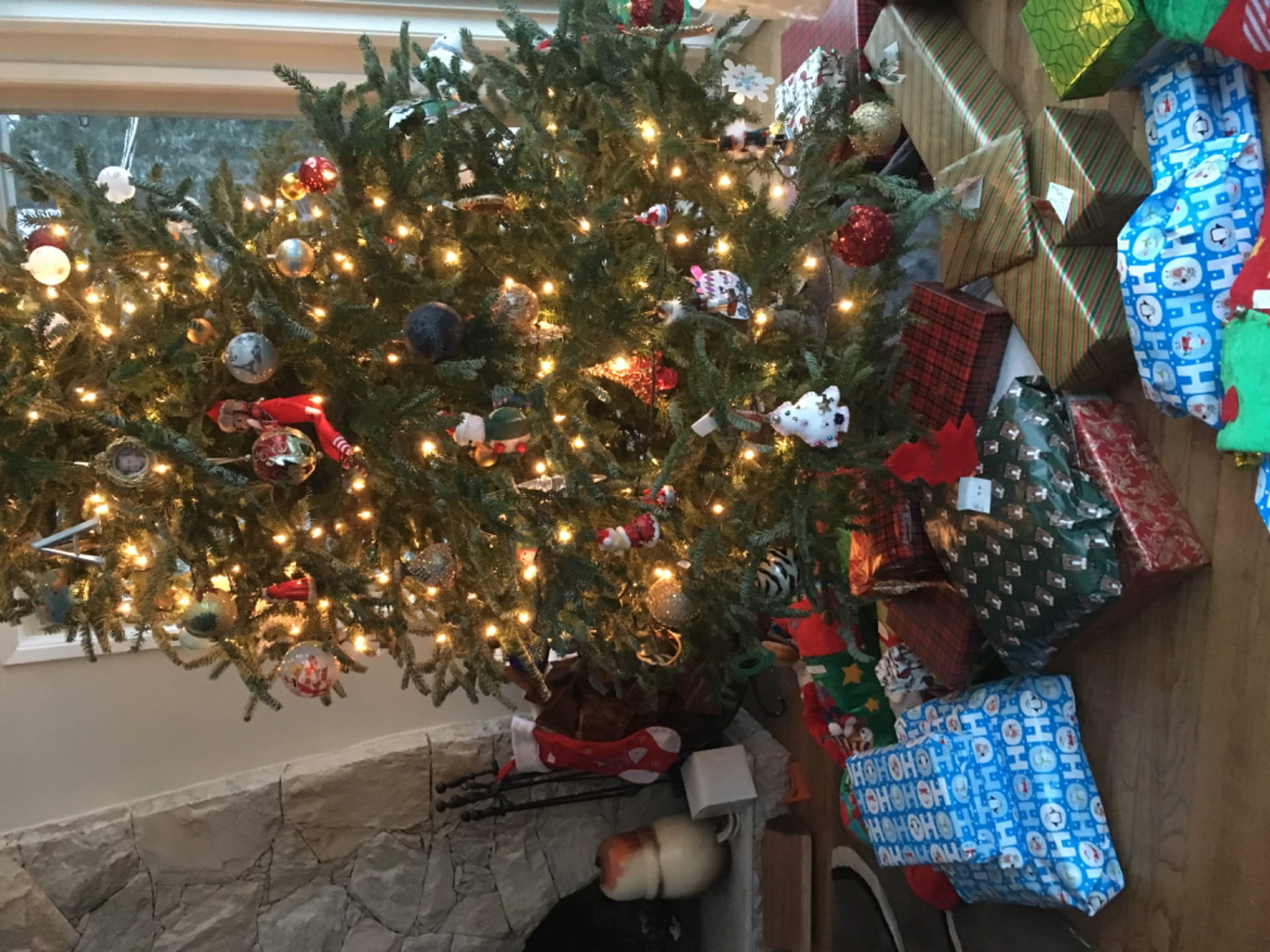
Now, my family isn’t too big on decorations and all that stuff for most holidays, the only one that we go basically all out on is Christmas. For others, we just don’t have enough for or we just forget in general, well, maybe Halloween a little bit, but that’s it.
For Christmas, we also have a few traditions that we have done the past few years or even every year. There’s only really a few though.
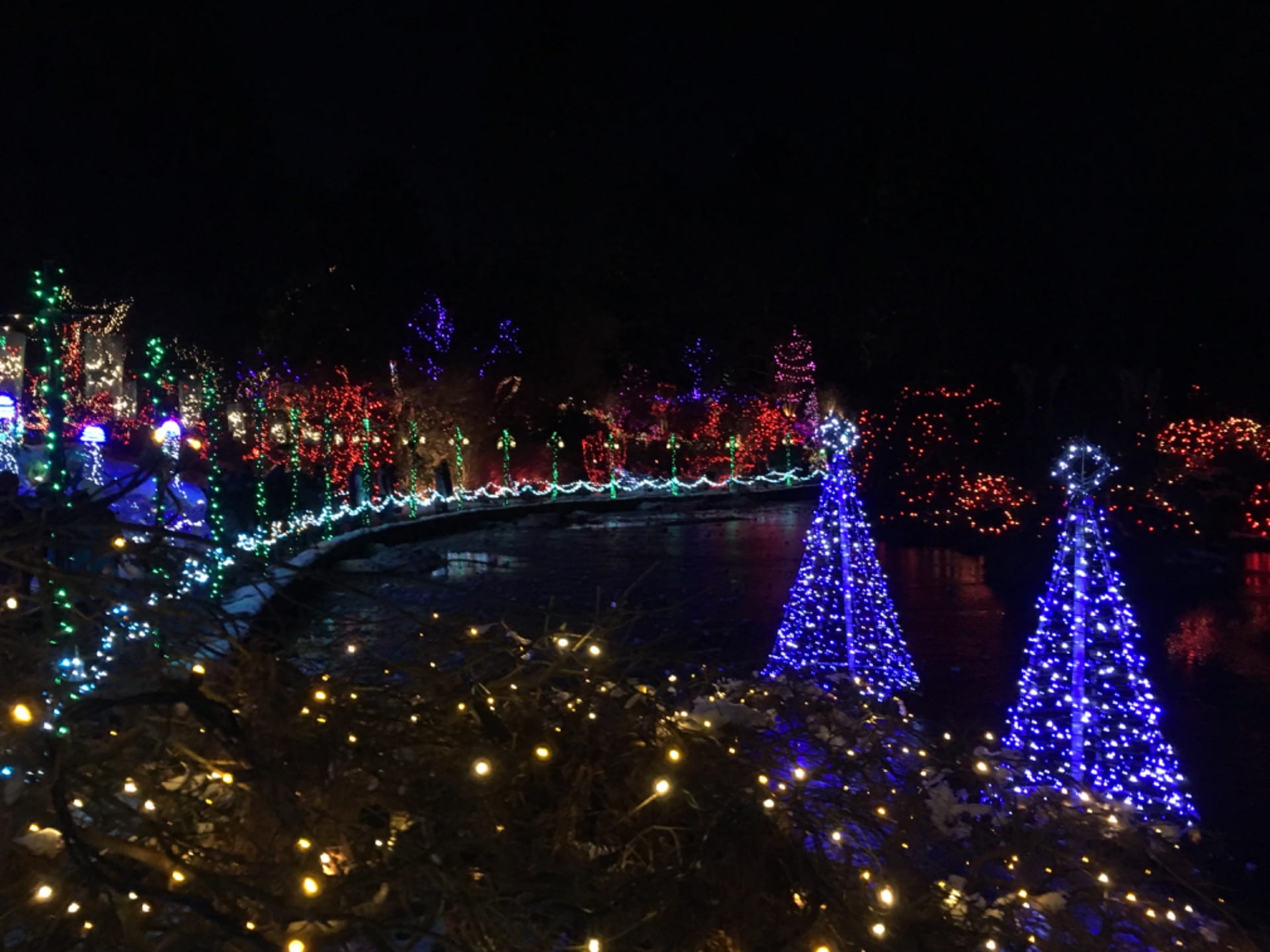
One of our main traditions from the past couple years, has been to go visit this place called “Van dussen Gardens”. It is beautiful over there, they have these beautiful light displays all over this park, it’s so big, that it actually takes about an hour to get through everything. Here is what one part looked like last year:
Another tradition that we do is our Christmas stockings, we all have these huge Christmas stockings and stock each other’s every year, a ton.
On Christmas Day, every year for as long as I can remember, we always went to my Aunt and Uncle’s place for dinner. Sometimes, my cousins and their parents joined them as well.
Then, the next day, on Boxing Day, we always have a huge dinner with the entire fam. My cousins are all in their 20’s or 30’s so, the closest cousin I have to my age is eight years old…but it’s great to see all of my little second cousins since they all live in New Westminster and Langley.
Now, for my Christmas craft, I really enjoyed how it turned out. I saw this craft on a website and decided to try it out. You fold a magazine in a certain way then fold them in to make a Christmas tree looking thing. It’s pretty cool!
Heeeelllllloooooo and welcome back to my blog! Today I am reflecting on a project that we had been doing for the past 6 weeks. During the course of this project, we had used skills that we learned from our other class, maker. Skills such as making screenplays, storyboards and call sheets. Our driving question for this project was “How Do Ideas Drive Change?”.
*reflection on driving question*Now, let’s get onto the actual reflection shall we?
First I will be reflecting on the curricular competencies that we were being assessed on in this project.
Cause and Consequence:
When completing notes when learning about a revolution, I assessed the causes and consequences of those revolutions on a template in Notability. This helped me seperate and distinguish the parts of our video to make it more of a timeline which would make it much more organized.
Evidence:
During the course of this project I always did extra research to fill in some gaps of information for our videos/screenplays. For example, when we were doing the Russian revolution, I went out and watched several videos to get the most exact information possible.
Create and Extend Shared Understanding:
My group and I often discussed about certain events that we would be talking about in our videos, some information said that it happened at different times on different sources and others had several different details to those events.
Text Comprehension and Appreciation Strategies:
When creating and editing my videos, I think that I could’ve payed more attention to applying the appropriate strategies to comprehend written, oral and visual texts to extend my thinking and appreciate how different features, forms and genres of text reflect different purposes, audiences and messages. For example, doing my best of making most of the audios in the videos more consistent if the app doesn’t glitch as much.
Next, I will be showing you and reflecting on my products that I had made during the course of this project. I will also be reflecting on the process of video making process.
French Revolution – Act it out:
This video, being our first one of this project, I thought it wasn’t all that bad. The audio, editing and video quality was good. But, on the other hand, I think that we could’ve had more information about the revolution instead of just 3 or 4 events.
Here is the screenplay:
American Revolution – Rap battle:
For this video, I really liked our lyrics and the fact that we did a rap battle between the patriots and loyalists, it was a great idea and went very well with our subject. But, on the other hand at some points, the sound didn’t match with the video and the editing and the editing could’ve been better as well. But, we had some pretty great shots and lighting.
Here is the screenplay:
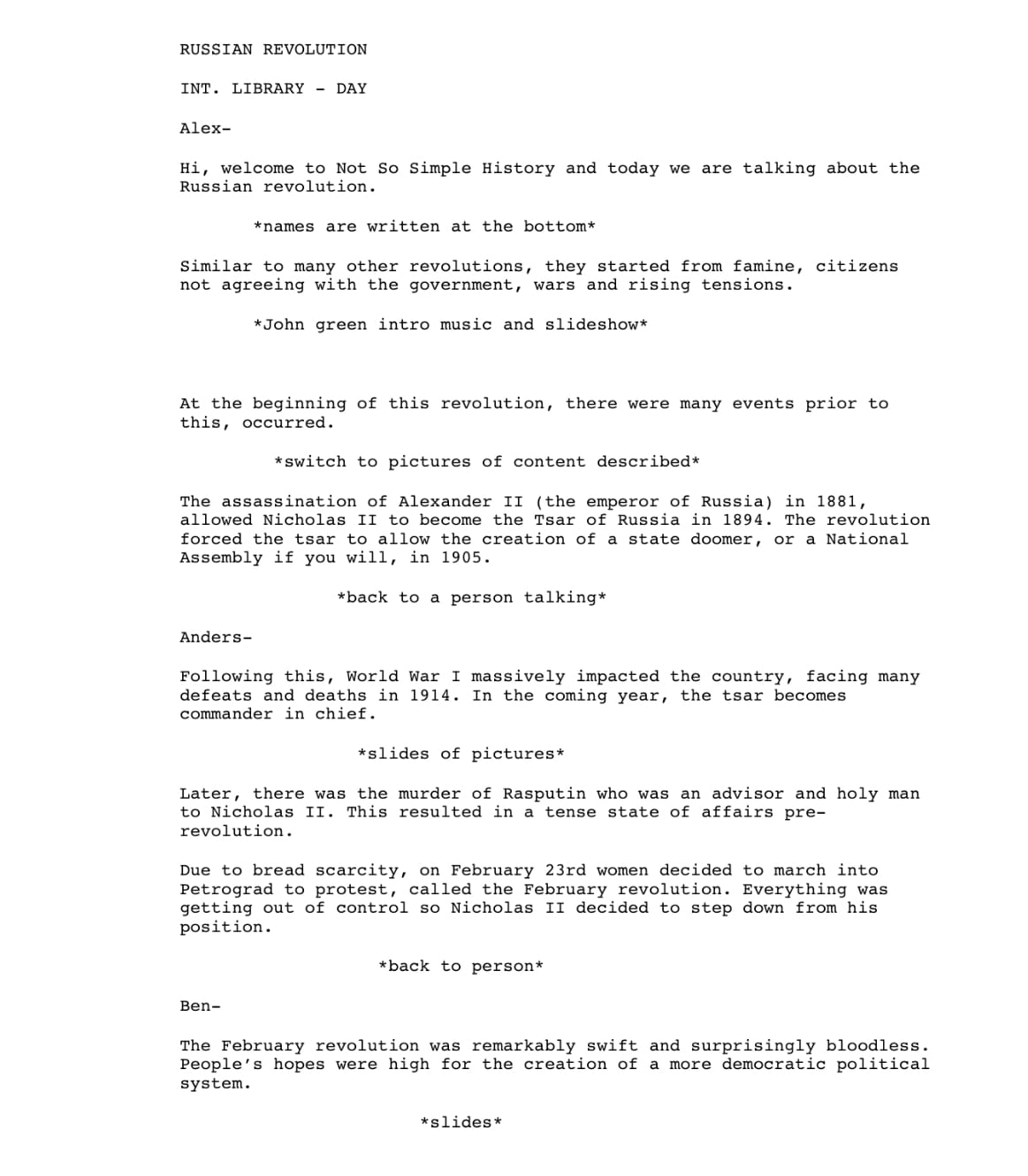
Russian Revolution – John Green
I really liked our set in this video, our information that we gave was very clear and that information very well supported thanks to some great visuals. We could’ve changed our audio up a bit or changed locations to get less of an eco and to get better lighting.
Here is our screenplay:
French Revolution – Animations and John Green
For our final video, this one was supposed to be the best video yet, putting every great thing together to make one amazing video. It turned out defineltly being better than our last one but not as amazing as I hoped. Thanks to a whole bunch of glitches on iMovie, there were some pretty big problems with the audio. I also think that we could’ve made our animations longer and have us look down at the screen much much less.
Here is our screenplay:
Also, here’s an example of one of the call sheets that we did:
To conclude, I really enjoyed making videos for this project. Even though it took more time, I still really enjoyed it and had lots of fun. It was also very interesting to explore different styles of videos that we can create. Not to mention, putting ourselves in a filmmaker’s place with all the different rules and steps to make a video.
Hi it’s Alex and welcome back to my blog! This week is week 5 of the Student Blogging Challenge where we are talking about Music! For this week we had several choices of prompts of what we could do for this week, I chose to do a video that people have to guess the artist, song or instrument so, here it is.
https://youtu.be/y9uQJodDpxY
I really enjoyed making this and hoped you enjoyed doing it!
Hi and welcome back to my blog, today I am talking about a project that I just recently finished in my Maker class. In this project we were assigned to recreate a short horror film called Run.
To recreate this video, we had to go through certain steps that professional film makers would do such as, screenplays, storyboards and call sheets.
1. Knowing Your Strengths
Our first step in this project was about “knowing our strengths”. To do this, we completed a personality quiz that told us about all of these, here is mine.
I really enjoyed doing this activity, it was interesting to learn new things about myself that I didn’t know before and to see my classmate’s answers as well.
The ISTE standard that I was being assessed on in this assignment was a Computational Thinker. I think that I learned about my strengths and weaknesses in the course of going through a project and reflected and answered the questions very well.
2. Screenplay
Our next step was to complete a screenplay, which is a document that says what people are going to say in the film, the shots and angles, the actions and locations. In this project, the people in my group were Finn and Brenton. Here was my group’s screenplay:
The ISTE standard that we were being assessed on in this project was Knowledge Constructor. The digital tool that I used for this assignment was pages and I think that I used it very well to construct knowledge (what’s going on in the video, the actions, angles) and to make a meaningful learning experience for myself and the rest of my group.
3. Storyboard
Following our previous step, we put our screenplay into action by creating a storyboard where the people were being animated to show the movement and not to mention the location and angles, using an app called Keynote. Here was my group’s final storyboard:
The ISTE standard that we were being assessed on in this project was Innovative Designer. I used Keynote for my design process to identify and solve problems by creating new, useful, or imaginative solutions.
4. Call Sheet
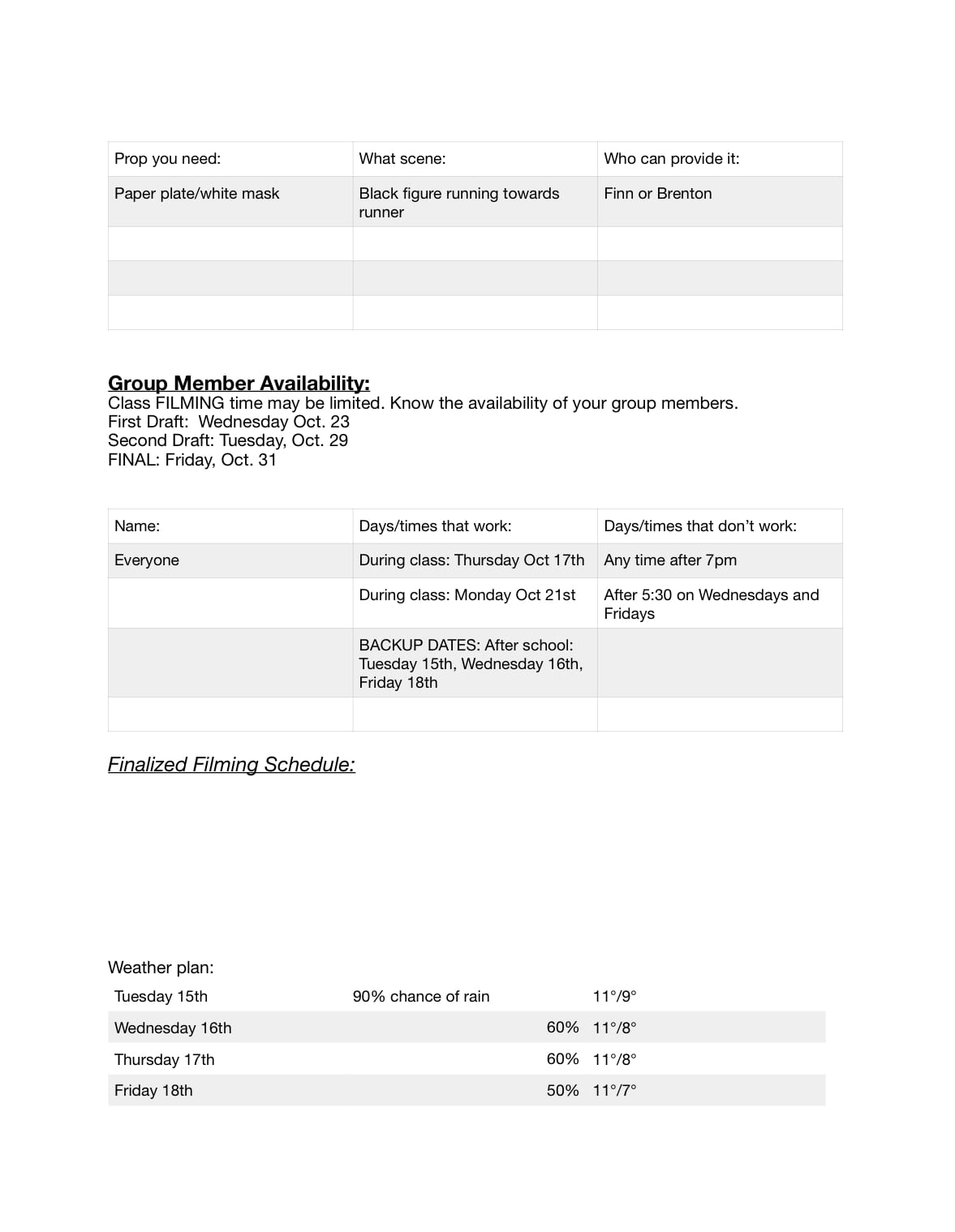
After our storyboard, we created a call sheet. Call sheets include the characters and their roles, the costumes, props, the set locations and filming dates. In a professional film, the people in charge would give these sheets to give additional information to the actors, people in charge of prop/costume, etc, for the filming day and where to be.
The ISTE standard that we were being assessed on in this assignment was Computational Thinker. When making the call sheet, I think that I developed and employed strategies for understanding and solving problems in ways that leverage the power of technological methods to develop and test solutions when filming and planning for our video.
5. Video
For our first version, I wasn’t too happy with how it turned out:we missed some certain angles and shots which made the video not long enough, the video resolution was pretty bad for some reason, some of the horror sounds were not right or lasted too long and we also missed on some smaller details.
https://youtu.be/oGYBfvngATE
Here is the feedback my group and I received on the video:
The ISTE standard that we were being assessed on in this assignment was Innovative Designer. I used iMovie, GarageBand and Keynote to create new, useful or imaginative solutions.
6. Final Video
For our last milestone, our video definitely improved from our last one but, it still wasn’t as good as I wanted it to be. We definitely fixed a lot of the things on our two different forms of feedback that we received. We chose a different trail, made sure to get all of the angles and make the video the right amount of time not to mention some other details like having earphones and covering logos more. But, on the other hand, if I had had more time to get really good at Garage Band (since I had no idea how to use it), the horror music would have been much better.
To conclude, I found this project very great to learn lots about the different steps in the making of a film and how it goes down in the professional film making world. It was also great to look into detail of all of the different angles in the film.
Hi, it’s Alex. Aaaaannndd…welcome back to another blog post. You may be very concerned or weirded out by the title of this post, and wondering what type of project did I even do? Well, sadly, this project actually isn’t about proving or doing something that has to do with “Eating Chicken And Going To The Moon”. This project has to do with Correlation and Causation. So, yeah maybe it kind of does have to do with the title… DUH..DUH.. DUUUUHH. If you don’t know what Correlation and Causation is, then click here, because there is a pretty good description on Wikipedia.
So, let’s get onto this reflection shall we? At the beginning of this project, we created a “Mind map” that contained questions and extra information that we had for the project. Now, for my reflection, we added some extra knowledge that we gained through the project and some answers to the questions. Here is mine:
For the next part of this reflection, I am reflecting on each curricular competency that we were being assessed on in this project so, here we go.
Write how you used/improved/need to improve each
Big idea: Analyzing the validity, reliability, and representation of data enables us to compare and interpret.
I think that I used this very well in my project. An example of that would be that in my final presentation, is that there were two correlations using well crafted survey results and they were explained well through my presentation.
Communicating and representing: represent mathematical ideas in concrete, pictorial, and symbolic forms.
I used this curricular competency that I made two graphs that represented my data and confirmed correlation.
Communicating and representing: Use mathematical vocabulary and language to contribute to mathematical discussions.
I think that I could improve on making this curricular competency more clear, specifically, explaining more clearly in my presentation, that a correlation is falsely associated with causation and a logical explanation for causation.
Applying and innovating: contribute to care for self, others, community, and world through individual or collaborative approaches.
I used this competency very well because I always worked hard and ethically in class without distractions and made a very good survey.
To conclude, I enjoyed doing this project by creating a survey and seeing the proof for our sleves instead of just learning about it in a textbook and doing some activities that aren’t as fun and educational as this was.